Vertical Menu
Vertical Menu
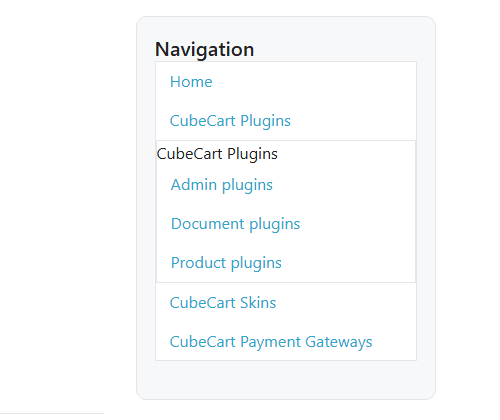
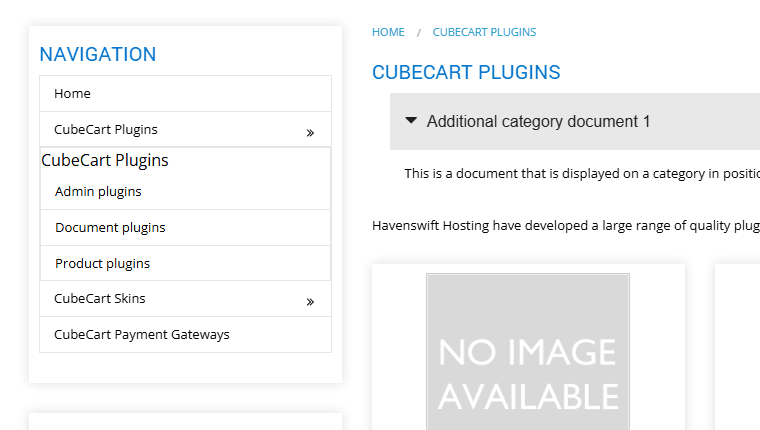
Vertical Menu adds a proper vertical category menu to any CubeCart V6 store, with completely separate configuration for desktop and for mobile, and with every colour, size, border and spacing under your control from the admin.
Why you would want it
The Foundation skin supplied with CubeCart, and the great majority of skins based on it, give you a single horizontal category menu across the top of the page. That works well enough for a shop with five or six categories. It works badly for a shop with twenty, and it works very badly indeed for a shop with a deep sub-category structure, because the menu either wraps onto several lines, pushes the page content down, or quietly hides categories that customers then never find.
A vertical menu in the sidebar has none of those problems. It can list far more categories in the space available, it makes the shape of your catalogue obvious at a glance, and it stays visible while the customer works down the page. This plugin adds one to any CubeCart store, and it does it without asking you to become a CSS developer.
Two menus, configured independently
The plugin builds two separate menus from the same category tree, and each has its own full set of settings on its own tab in the admin.
- Categories Menu (Desktop) renders into the sidebar of your skin.
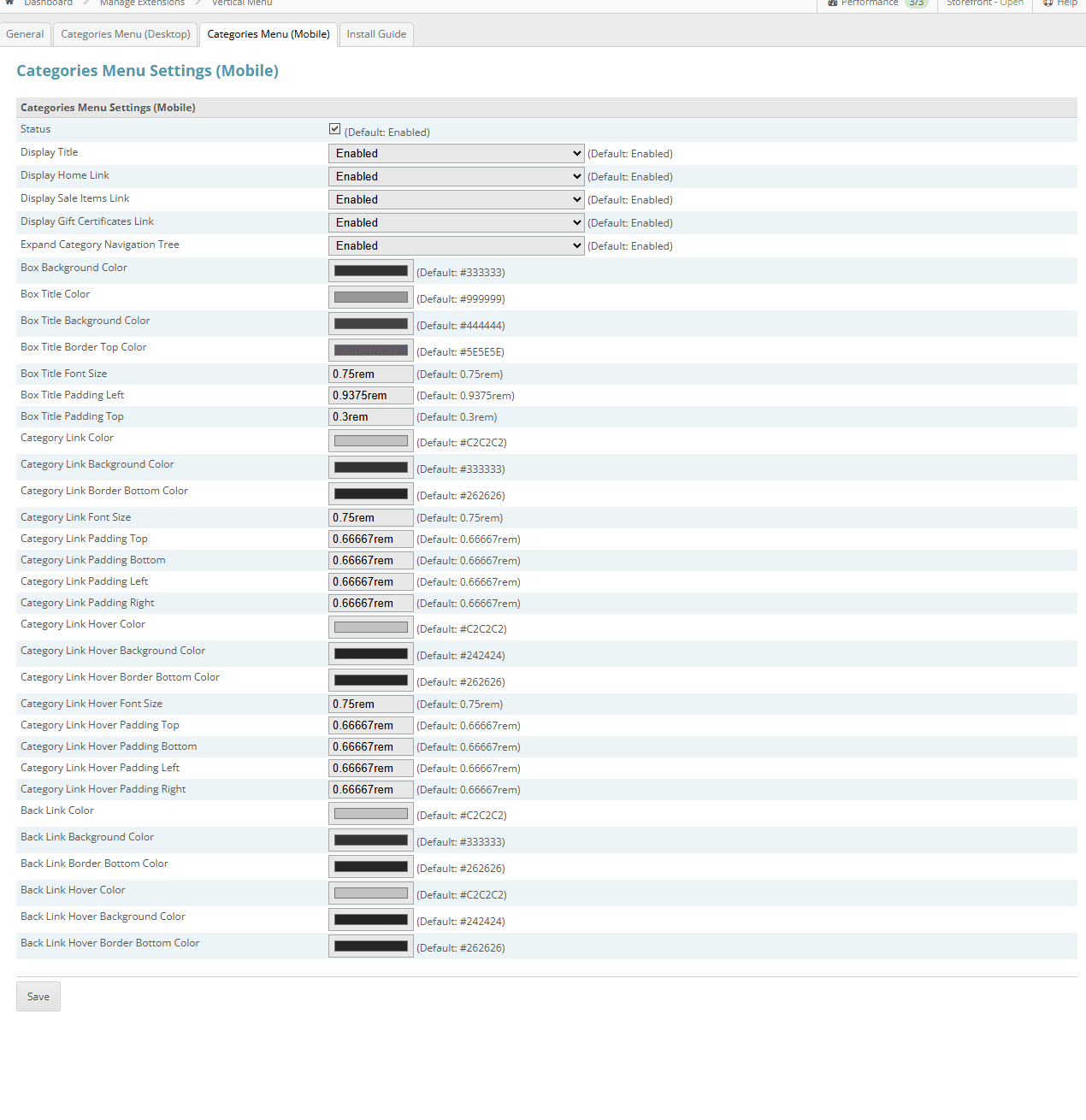
- Categories Menu (Mobile) renders into the skin’s off canvas panel, the one that opens from the hamburger icon, and adds a “Back” link so that a customer can drill down into sub-categories and step back out again with their thumb.
Because the two are independent you can, for example, run a light coloured menu in the desktop sidebar and a dark one in the mobile panel, expand the tree on desktop and keep it collapsed on mobile, or show gift certificate and sale links in one and not the other.
What you can turn on and off
- The whole menu, per device
- The box title
- A Home link
- A Sale Items link (only shown when there are actually sale items)
- A Gift Certificates link (only shown when gift certificates are enabled and the store is not in catalogue mode)
- Expansion of the category navigation tree itself
- Sub-category titles at the head of each expanded branch (desktop menu)
Empty categories are handled sensibly. A category with no purchasable products and no children is left out unless you have told CubeCart to show empty categories, and if you have “hide out of stock” turned on, products that are out of stock across every option combination are not counted.
How the tree expands
Sub-categories can fly out to the right, fly out to the left, or drop down inline within the box, which is the right choice when the menu already sits in a narrow column. The expansion is animated with a jQuery effect of your choosing, and the effect speed is set in milliseconds, so you can have it appear instantly or ease in gently.
Complete styling control, without editing CSS
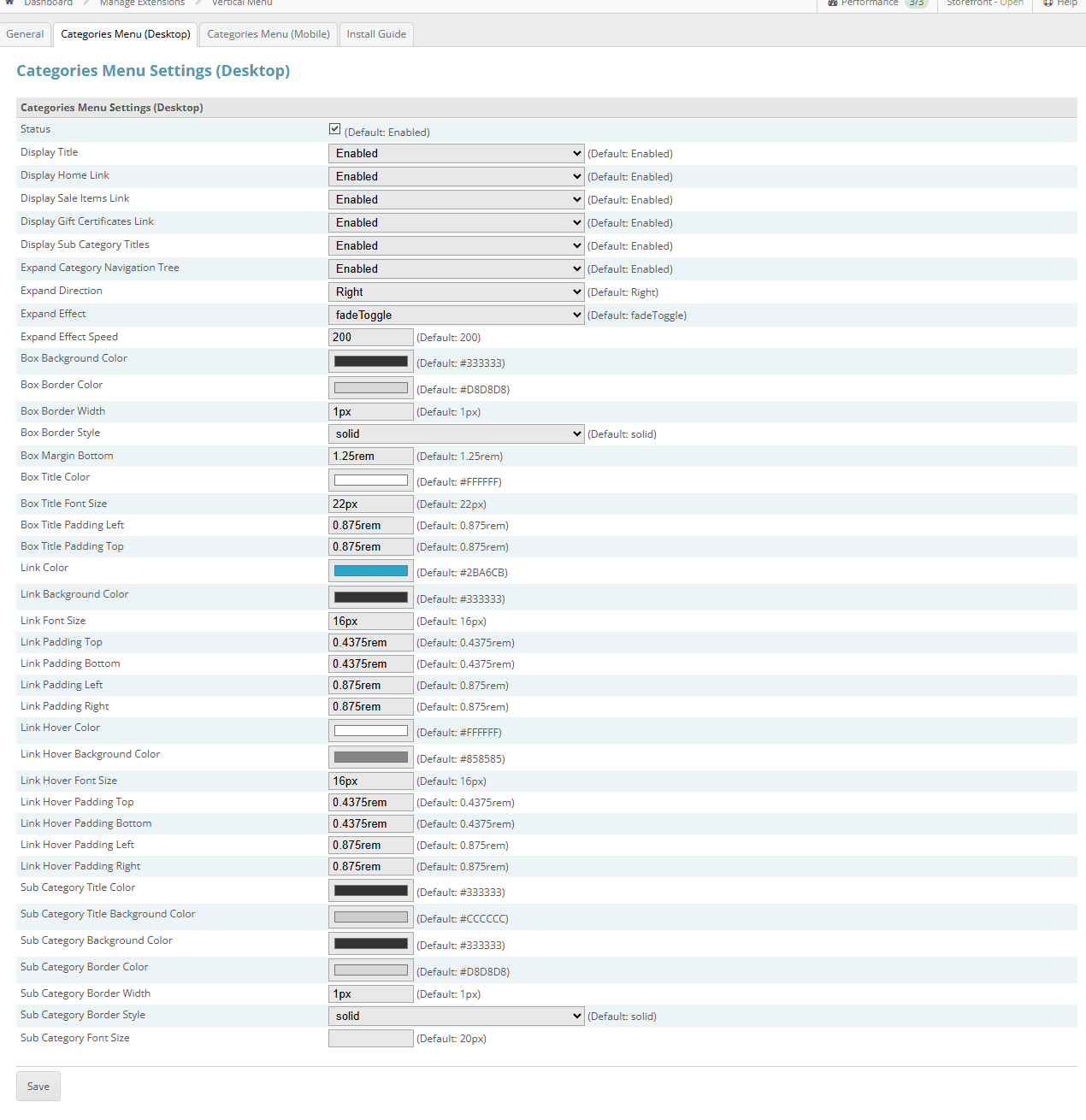
Close to sixty individual style settings are exposed across the two tabs, each with its shipped default printed alongside it so you always know what you have changed and what to put back. Colours are chosen with a proper colour picker, and sizes are entered in rem or px.
- The box: background colour, border colour, border width, border style and bottom margin
- The title: colour, font size and padding, plus a background colour and a top border colour on the mobile menu
- Category links: colour, background colour, font size and padding on all four sides, plus a bottom border colour on the mobile menu
- Category link hover: the same set again on both menus, so hover can change size and spacing as well as colour
- Sub-categories on the desktop menu: title colour and background, panel background, border colour, border width, border style and font size
- The mobile Back link: its own colour, background and bottom border, with a matching hover set
Per-skin CSS profiles, chosen automatically
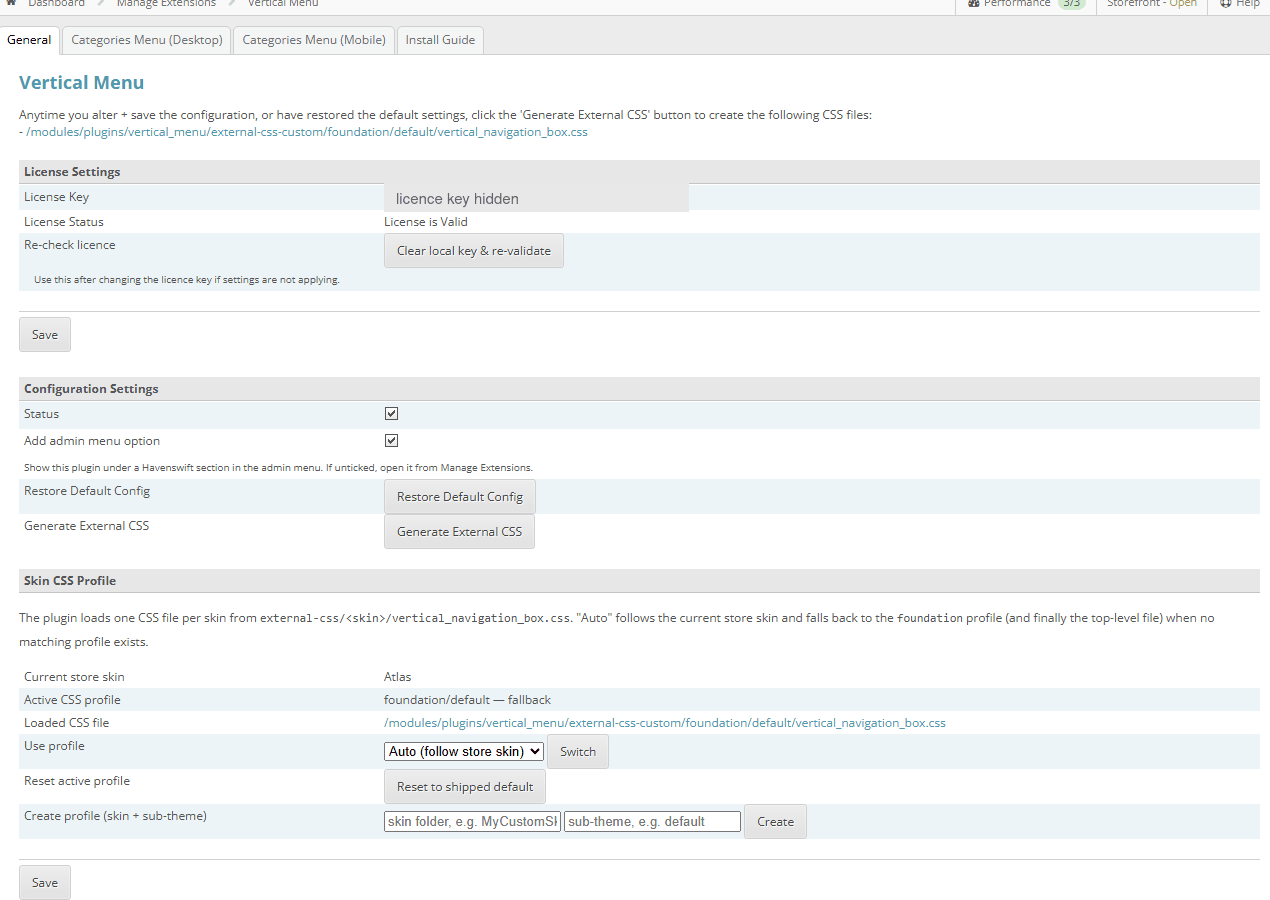
This is the part that saves the most time. The plugin ships a tailored stylesheet for each of our skins and for core Foundation, keyed on both the skin and its sub-theme: Foundation default, Nautical default, Party Time default and classic, Retail Therapy default and Menu Left, and Trade default and Menu Left. On the front end the plugin works out which skin is actually being rendered and loads the matching profile, falling back to that skin’s default sub-theme and then to Foundation if there is no exact match. The result is a menu that already looks like it belongs in your skin before you change a single setting.
You can override the automatic choice and pin a specific profile, and for a third party skin or your own you can create a new profile from the admin screen, seeded from the Foundation defaults, then adjust it to match. Your customised stylesheet is written into a separate folder from the shipped defaults, so a plugin upgrade never overwrites your work, and a single button resets any profile back to its original state if you want to start again. The stylesheet is served as a real CSS file and is cache busted on its modification time, so your changes appear without anyone having to force a refresh.
Installing it
The admin screen carries its own Install Guide tab with the exact code to paste, and the whole job is two short template edits.
- Add
{$VERTICAL_NAVIGATION_BOX_CAT_BOX_DESKTOP}tomain.phpwherever you want the box to appear, typically in the sidebar column. There is also a supplied variation that puts the vertical menu in place of the skin’s built in horizontal category navigation and falls back to the horizontal menu automatically if the plugin is ever switched off. - Add
{$VERTICAL_NAVIGATION_BOX_CAT_BOX_MOBILE}tobox.off_canvas.left.php, immediately after the opening off canvas element.
Replacing the old SFWS plugin
This plugin was written from scratch, but it is a drop in replacement for the very old vertical menu plugin previously sold by SFWS, which has now been unsupported for more than five years. It needs a few minor skin changes compared with the original, and it adds a great deal that the original never had.
Requirements and licensing
- CubeCart 6.4.0 or later, including all 6.x releases
- Requires the ionCube Loader on your server
- Works with any CubeCart skin; tailored styling is supplied for Foundation and for all four Havenswift Hosting skins
- Sold as a yearly, auto-renewing subscription for a single domain: £50.00 for the first year, then £25.00 a year, which is 50% less than the initial price. Ticket support and all software updates are included
- Current version 1.1
Buy Vertical Menu
£50.00 for the first year, then £25.00 a year
Screenshots
Click for full sized image
Click for full sized image
Click for full sized image
Click for full sized image
Click for full sized image
Buy Vertical Menu
£50.00 for the first year, then £25.00 a year
See it working on our CubeCart demo store, or go back to all our CubeCart plugins.
