cPanel Hosting
cPanel Hosting
cPanel is the control panel the majority of the hosting industry runs on, and it is what sits behind every shared, reseller and managed plan we offer. If you have used web hosting before, you have probably used it.
This page explains what cPanel actually gives you, which parts of it are worth learning, and why the host running it makes more difference than the panel itself. If you already know all that and just want prices, our shared hosting plans are the place to go.
What you get
cPanel gives you a single place to run your site without needing to touch a command line or raise a ticket for routine work.
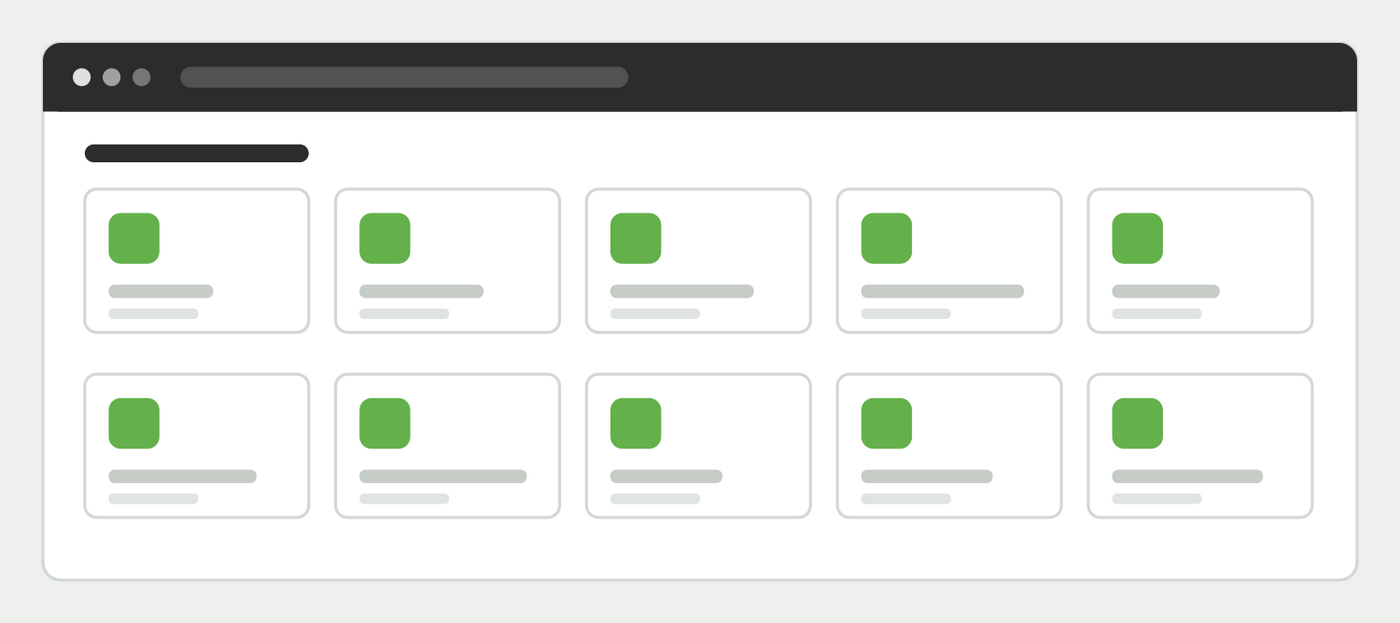
- Email. Create mailboxes, forwarders and autoresponders on your own domain, with webmail and spam filtering included.
- One click installs. WordPress, CubeCart and a long list of other applications, installed and kept updated from a single screen.
- Files and FTP. A browser based file manager, plus SFTP accounts for anyone who prefers a proper client.
- Databases. MySQL databases and phpMyAdmin for direct access.
- Free SSL certificates, issued and renewed automatically.
- Backups. Restore a file, a database or the whole account.
- Statistics and logs, so you can see what is actually happening on your site.
- PHP version control, so you can pick the version your application needs rather than the one the server defaults to.
Why it matters which host runs it
cPanel is the same software everywhere. What differs is the server underneath it, how it is configured and who answers when something goes wrong.
Our servers are tuned for the applications our customers actually run, we keep them patched, and support is answered by people who administer the servers rather than reading from a script. We have been doing this since 2007.
The number that decides whether your site feels quick is one nobody advertises: how many accounts have been put on the server. Two plans with identical disk and bandwidth figures can be several times apart in practice, entirely because of that. We do not oversell, which is why our plans are not the cheapest you will find.
Things in cPanel worth knowing about
Most people use a small fraction of cPanel and never discover the parts that would save them the most time.
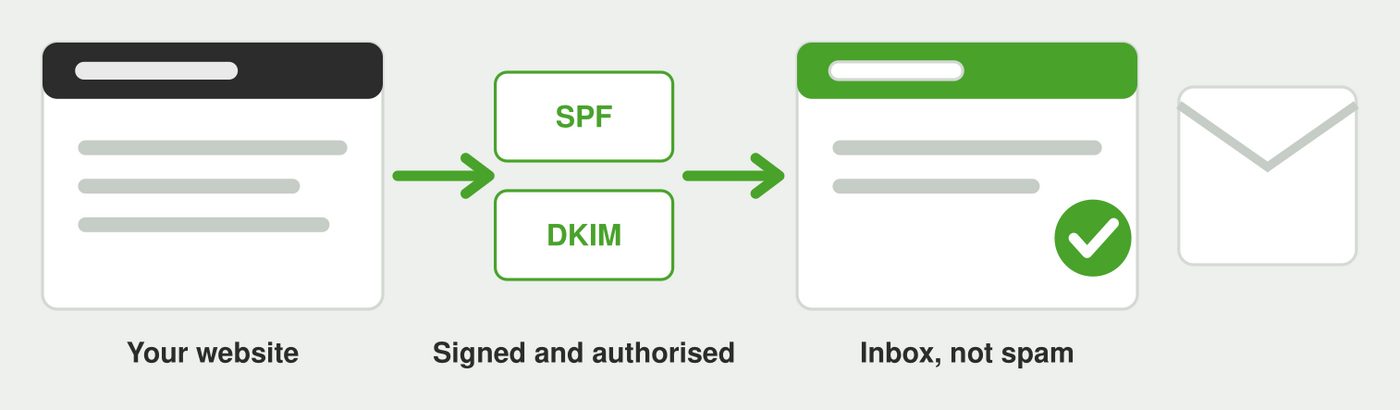
Email routing and deliverability. cPanel handles SPF and DKIM records for you, and these are the reason your order confirmations and contact form messages either arrive or land in spam. If mail from your site is not getting through, this is almost always where the answer is.
Cron jobs. Scheduled tasks for anything your application needs to run regularly. WordPress in particular benefits from a real cron job rather than relying on visitor traffic to trigger scheduled work.
Redirects. Set up permanent redirects without editing configuration files, which matters when you restructure a site and want to keep your search rankings.
Resource usage. A history of the CPU, memory and process limits your account has hit. When a site is intermittently slow, this often explains it immediately, and it is the first screen we look at when someone reports a speed problem.
Terminal and SSH. Available if you want it, and ignorable if you do not.
Choosing your PHP version
PHP version choice is per account rather than per server, so an older application does not force everything else to stay behind. That matters in both directions.
Running a current, supported PHP version is one of the largest free performance wins available, frequently worth more than any plugin or caching change, and unsupported versions stop receiving security fixes entirely. If you are on an old version because something broke when you last tried to move, tell us and we will look at what is holding it back rather than leaving you there indefinitely.
You can also enable and disable individual PHP extensions from cPanel, which occasionally is exactly what an application needs and is otherwise a support ticket at most hosts.
Email on your own domain
Email is the part of hosting that generates the most support tickets everywhere, so it is worth understanding what you have.
Your plan includes mailboxes on your own domain, webmail, and spam filtering. Forwarders let you point an address at somewhere else without a mailbox, and aliases let one person collect several addresses. Autoresponders handle the out-of-office case.
If you would rather use Microsoft 365 or Google Workspace for mail while keeping your website with us, that works perfectly well and is a common arrangement. We will set the DNS records up for you and make sure the server stops trying to deliver your mail locally, which is the single most common cause of the “some people get my email and some do not” problem.
Security
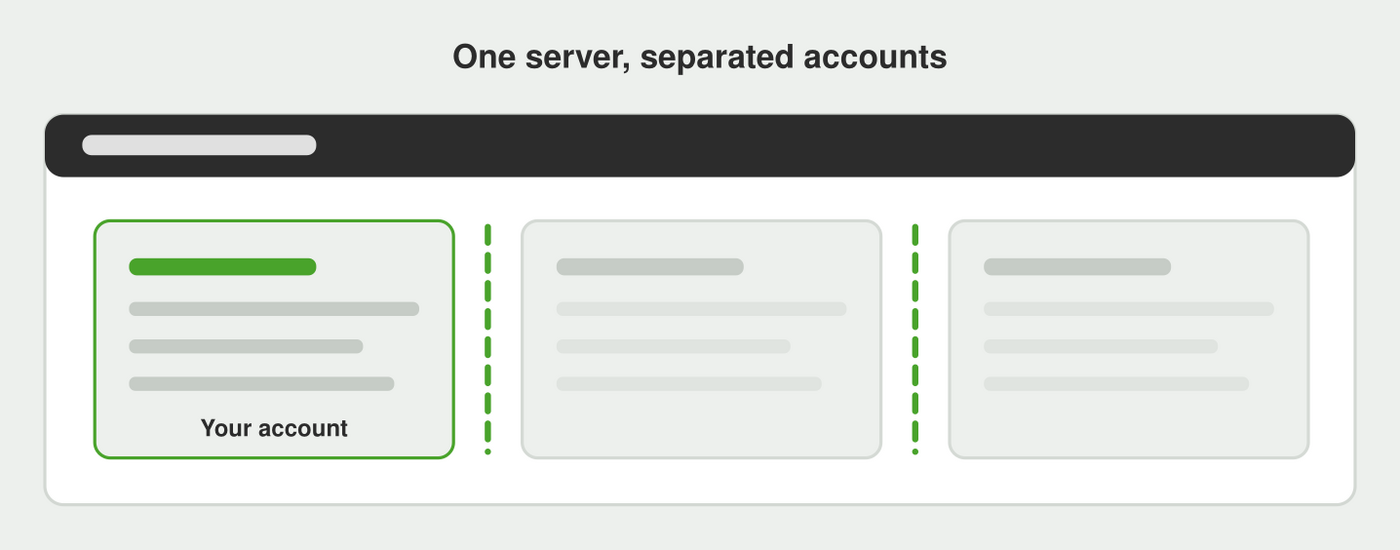
cPanel accounts are isolated from one another, so another customer’s site cannot read your files.
Two factor authentication is available on your cPanel login and is worth enabling, since a compromised control panel password gives access to everything at once.
Beyond that, the things that keep an account secure are unglamorous: keep your applications and plugins updated, remove software you no longer use rather than leaving it installed, and use a unique password. Most compromises we see arrive through an out of date plugin rather than through the control panel.
Free SSL certificates are issued and renewed automatically, so there is no annual scramble and no expired certificate warning frightening your visitors. If you want a certificate with organisation validation for commercial reasons we can supply that too, but for the great majority of sites the free one is cryptographically identical.
Backups, and what they are actually for
Backups are taken daily and you can restore a single file, a single database or the entire account yourself from cPanel.
Worth being clear about what that protects you from. It is excellent for the two things that actually happen: somebody deletes or overwrites something, or an update breaks the site. It is not a substitute for keeping software current, because a backup of a compromised site restores the compromise along with everything else. Restore first, then find out how it got in.
Which plan
Most sites belong on shared hosting. If you run a shop, our e-commerce hosting is tuned for that workload. If you host sites for other people, look at reseller hosting, which gives you WHM on top of cPanel so you can create and manage accounts of your own.
If you would rather not deal with the control panel at all, our fully managed CubeCart hosting takes the upgrades and the maintenance off your hands entirely. Those plans deliberately do not include cPanel access, which is what allows us to guarantee the state of the installation.
Not sure which fits? Tell us what you are running and we will tell you honestly, including if the answer is a smaller plan than you were expecting.
Moving to us
If your current host also uses cPanel, migration is straightforward and free. We transfer the account, verify everything works on our servers, and change DNS only once you have tested it. Your existing site stays live throughout.
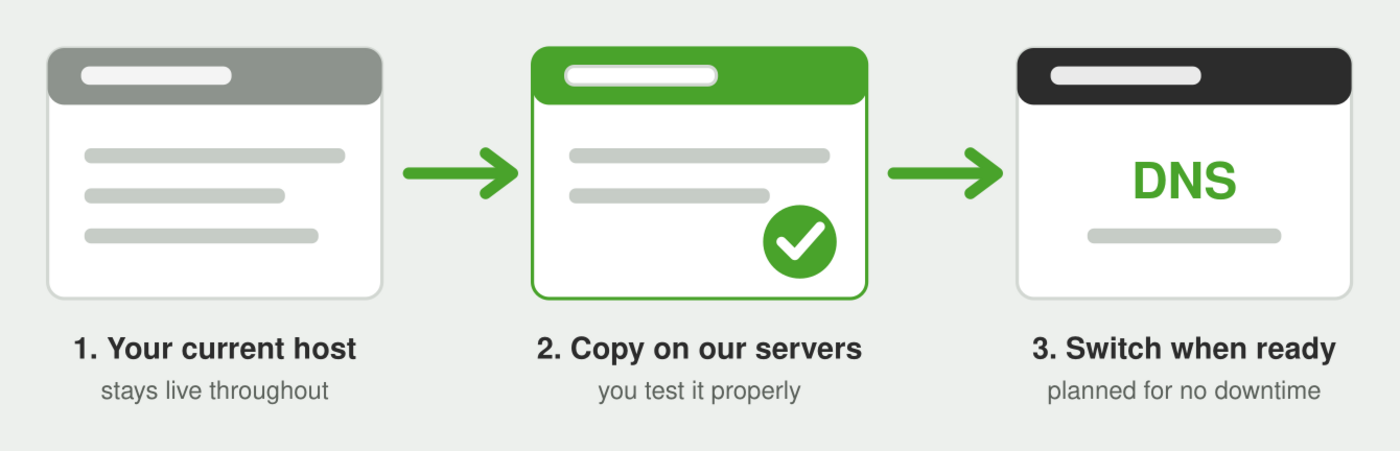
If your current host uses something else, we can still handle it, though it takes a little more work. Either way, tell us what you have and we will tell you honestly how the move would go.
Email is where badly planned migrations go wrong rather than the website, so we handle the mailboxes as part of the move and plan the DNS change around them.
Common questions
Do I need to know how to use cPanel? No. Most customers use two or three screens, and we will do anything you would rather not do yourself.
Can I have more than one website on one account? On most plans, yes, as addon domains. Tell us how many domains you have and we will tell you which plan covers it.
Is cPanel included in the price? Yes, on every shared, reseller and semi-dedicated plan. There is no separate control panel licence to buy.
What if I outgrow shared hosting? Upgrading is straightforward and involves no downtime and no penalty. Beyond shared hosting, our VPS and dedicated servers are the next step, and cPanel comes with them too.
