
Most Merchant Centre trouble is not about the products. It is a feed that sends a price without the tax Google expects, a sale price of 0.00, an identifier Google does not recognise, or an item listed as in stock when it is not. Google’s answer is to disapprove the item, often days after you uploaded the feed.
Our Google Merchant Centre Feed plugin adds a Google Merchant format to CubeCart’s own catalogue export, and handles those details for you. If Shopping is new to you, getting started with Google Shopping covers the account side first.
Prices the way Google wants them
Google wants prices without tax for the United States, Canada and India, and with tax everywhere else. The plugin reads your store country and recalculates from your own tax rate, whichever way your catalogue stores its prices.
A sale price is sent only when there is one: a blank, never 0.00, which Google rejects. Products priced at zero are left out altogether.
The feed can be XML or text/CSV. Use XML if you set sale prices per product.
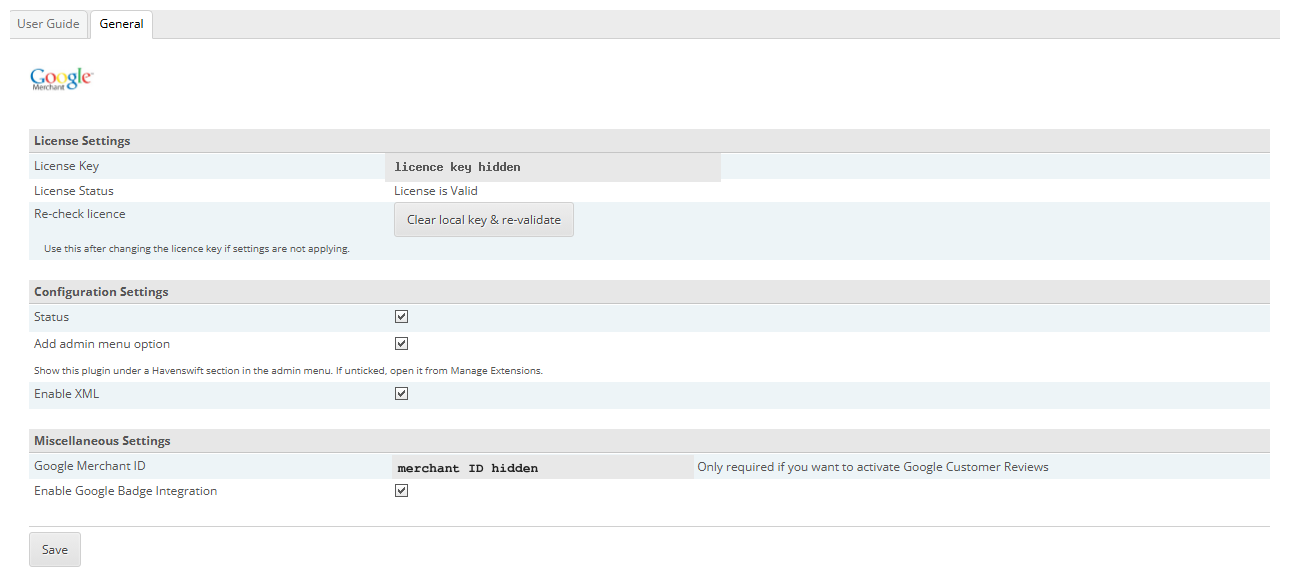
One switch for XML, and your Merchant ID if you want Google Customer Reviews.
Click for full sized image
Product identifiers
ISBN is used where a product has one. Otherwise the plugin picks the code that suits your store’s country, JAN for Japan, EAN for Europe or UPC for the United States, before falling back to the GTIN field. Brand and MPN go out alongside it, so Google can match the product to the version it already knows.
Stock
If you track stock, and do not allow orders when something is out of stock, an item with none left goes out as out of stock. Otherwise it is listed as in stock. Google stays in line with what a shopper can actually buy.
What goes in
Each product gets an Exclude from Google feed tickbox on its General tab, for anything you do not want advertised, and a flag for adult products, which Google requires you to declare.
Big catalogues, other languages, other currencies
A large catalogue can be split across several feed files, using page and per-page settings in the feed address, so one export does not strain the server. Adding a language or currency to the address exports in that language, using your own product translations where you have them, or in any active currency.
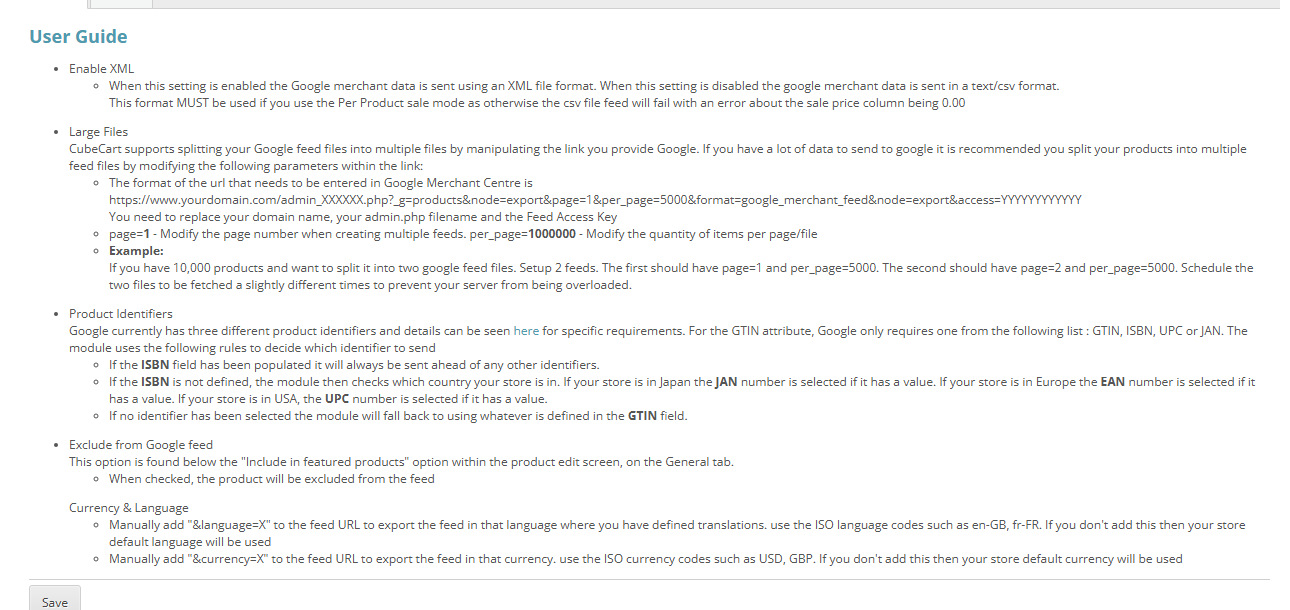
The User Guide tab sets out the feed address and every option it takes.
Click for full sized image
Setting it up
The User Guide tab shows the feed address to give Merchant Centre: your store’s admin address with the export settings and your own feed access key. If you want Google Customer Reviews, add your Google Merchant ID on the General tab.
The feed covers what Google reads from Merchant Centre. Structured data on your product pages is the other half of how Google understands a shop, and the two are worth getting right together.
Who it is for
Any CubeCart store selling physical goods that wants to appear in Google Shopping, or that already has a feed and keeps fighting disapprovals.
Getting it
It is available from our CubeCart plugins range, or you can add Google Merchant Centre Feed to your basket directly.
If you are unsure whether it fits your catalogue, open a ticket and ask us.
