When something misbehaves, the log usually names the cause. Guessing wastes time.
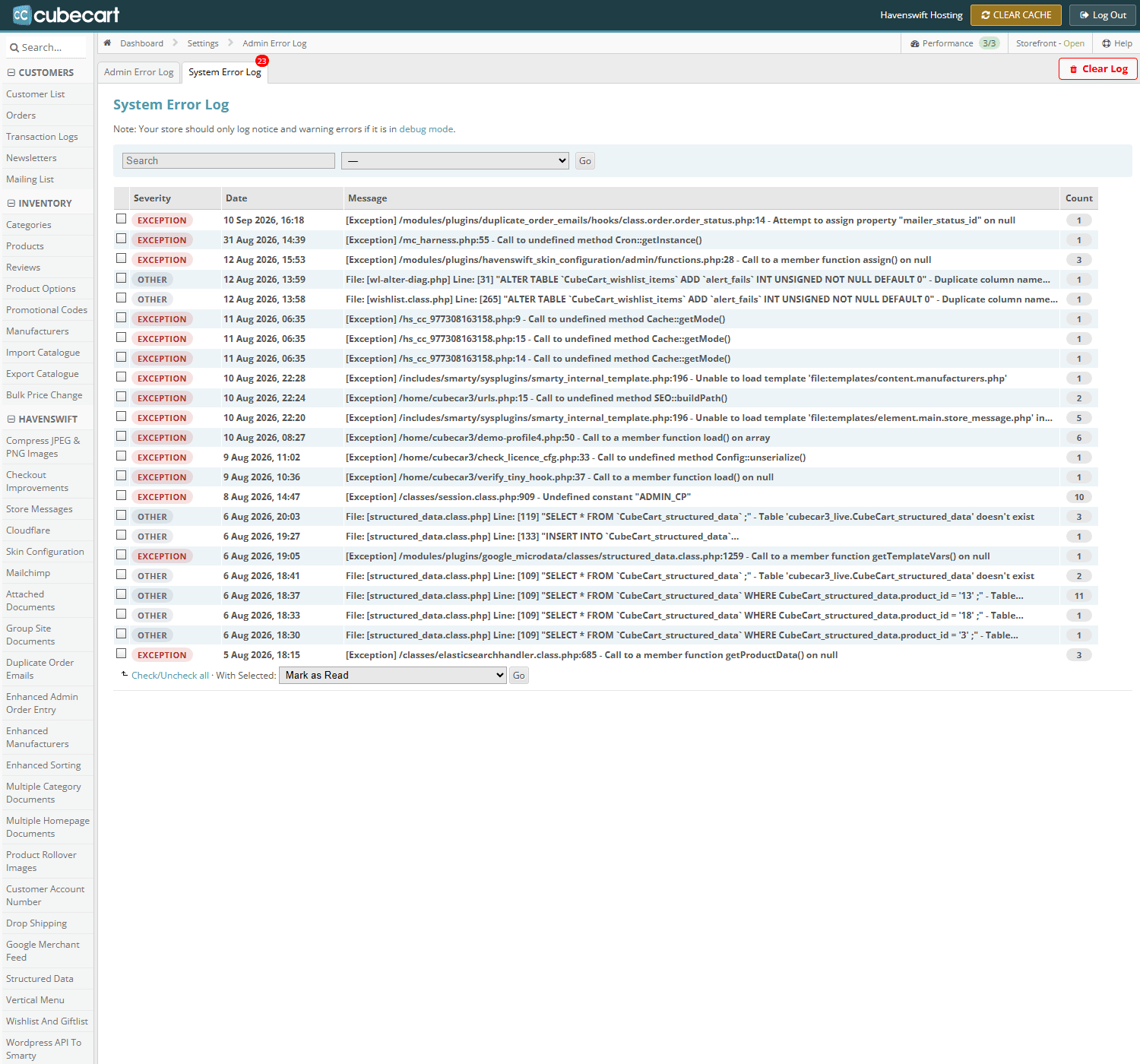
The error log in CubeCart admin, with its Admin and System tabs. The count on the tab is unread entries
Where to look
CubeCart keeps its own error log in the admin, under the system or maintenance section. Separately, the server keeps a PHP error log – look for an error_log file in your public_html or the relevant folder, or open Errors in cPanel.
Check both. CubeCart's log records what the shop noticed; the server log records failures so severe the shop never got to write anything.
Reading an entry
Each entry has a date, a message, and usually a file and line number. The file path tells you where the problem is: something under modules/plugins/ points at a plugin, something under skins/ at your theme, and something in the core is more likely a symptom than a cause.
What to ignore
Notices and deprecation warnings are noise on an older codebase and do not indicate a fault. Concentrate on fatal errors and exceptions.
What matters
- Fatal error – execution stopped. This is your white page.
- Call to undefined function – usually a missing PHP extension, or the wrong PHP version.
- Allowed memory size exhausted – the request needed more memory than permitted.
- Database errors – often a missing table after a failed upgrade.
When you open a ticket
Paste the actual log entry, with its date and time, and say what you were doing. That turns a long investigation into a short one.
Keep it tidy
An error log left growing for years can reach a size that is a problem in itself. Once you have dealt with the cause, clear it.
